

Consents tab
The Consents tab holds every formal agreement your client has signed with the firm: engagement letter, retainer, scope-of-work, translator certificate, and any custom consents you’ve authored.
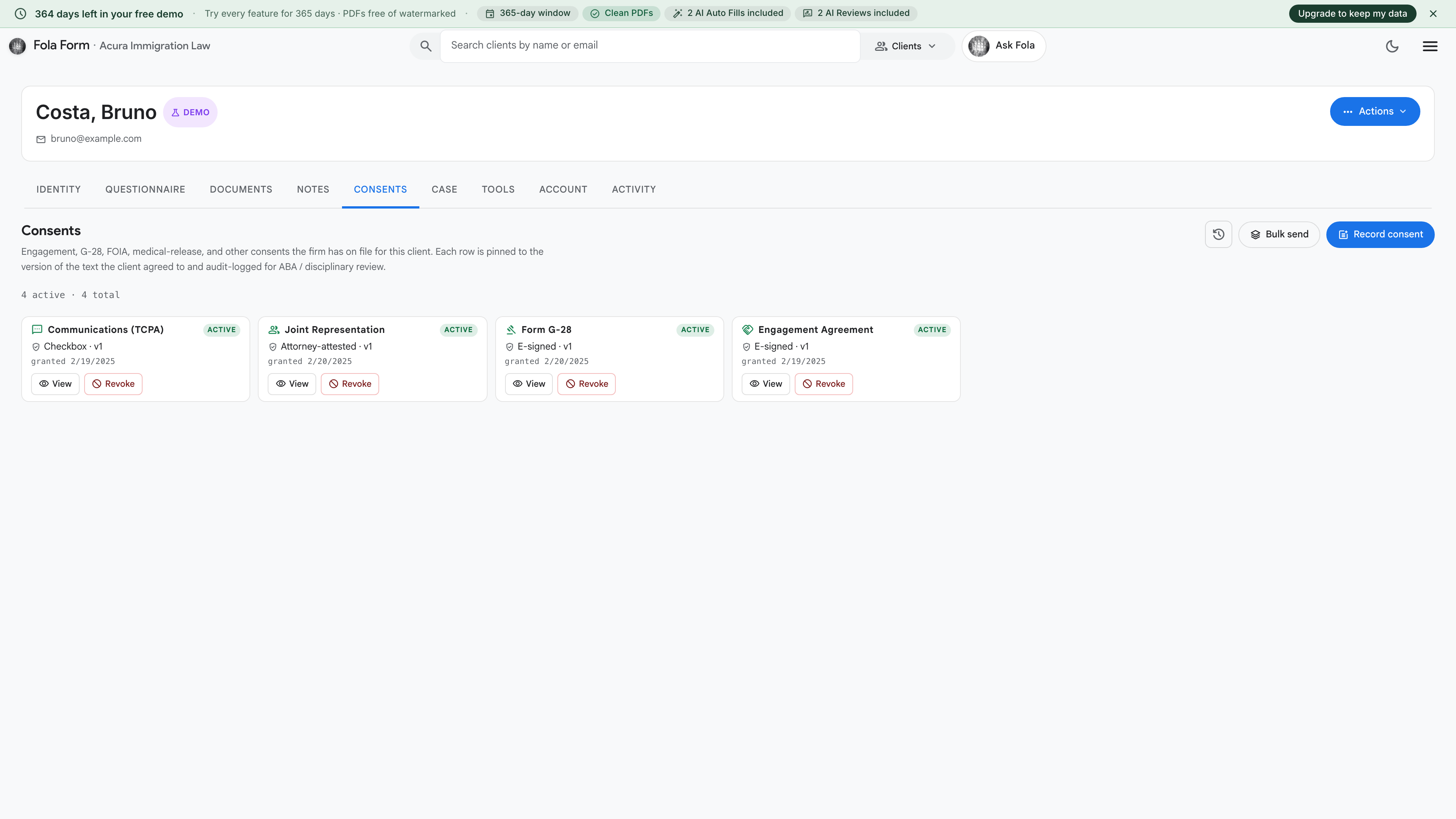
What’s here by default
Section titled “What’s here by default”Fola ships a starter set of consent templates that show up on every new client until you customize them at Settings → Consent templates:
- Engagement letter — the standard contract that opens the attorney-client relationship
- Limited-scope representation — for when you’re only handling part of a matter
- Flat-fee fee agreement — fee structure as a flat amount
- Hourly fee agreement — fee structure billed by the hour
- Translator certificate — non-English-speaking clients sign this when a translator helped them understand documents
You can edit any template, mark some active and others inactive, or add your own from Settings → Consent templates.
Sending a consent for signature
Section titled “Sending a consent for signature”From this tab, click the consent you want the client to sign. You’ll see two options:
- Sign in person — opens a signature pad on your screen, hand the device to your client, they draw their signature, you save. Best for in-office signings.
- Send link to client — generates a one-time-use signing URL and either copies it to your clipboard or sends via your firm’s “consent request” email template. Best for remote clients.
Both paths use the same drawn-signature canvas (mouse, trackpad, or touchscreen). The resulting signed PDF is saved to this tab permanently and also lands on the Documents tab under “Consents”.
What gets recorded with each signature
Section titled “What gets recorded with each signature”Every signed consent carries:
- The full text of the consent at the time of signing (preserved verbatim so a future template edit doesn’t change what the client already agreed to)
- The signer’s full legal name + title
- The drawn signature image
- The signing timestamp
- IP address + user-agent (browser fingerprint) of the signing device
That’s the audit trail you’d hand to a court or bar association if the signing is ever challenged.
When to require a re-sign
Section titled “When to require a re-sign”A few scenarios where you should generate a fresh signature on the same template:
- The client’s case scope changed — they came in for an I-130 but you’re now also handling their kid’s I-485. New engagement letter.
- A material template edit — you raised the flat-fee from $4,000 to $4,500. Resend the updated fee agreement.
- Fee dispute — if the client claims they didn’t agree to hourly billing, a re-sign documents the new understanding.
Was this page helpful?
Thanks — noted.