

Identity tab
The Identity tab is the structured record of who your client is. Every form Fola fills — I-130, I-485, N-400, 1040, ETA-9089, anything — reads from this tab. If a field is wrong here, it’ll be wrong on the filing.
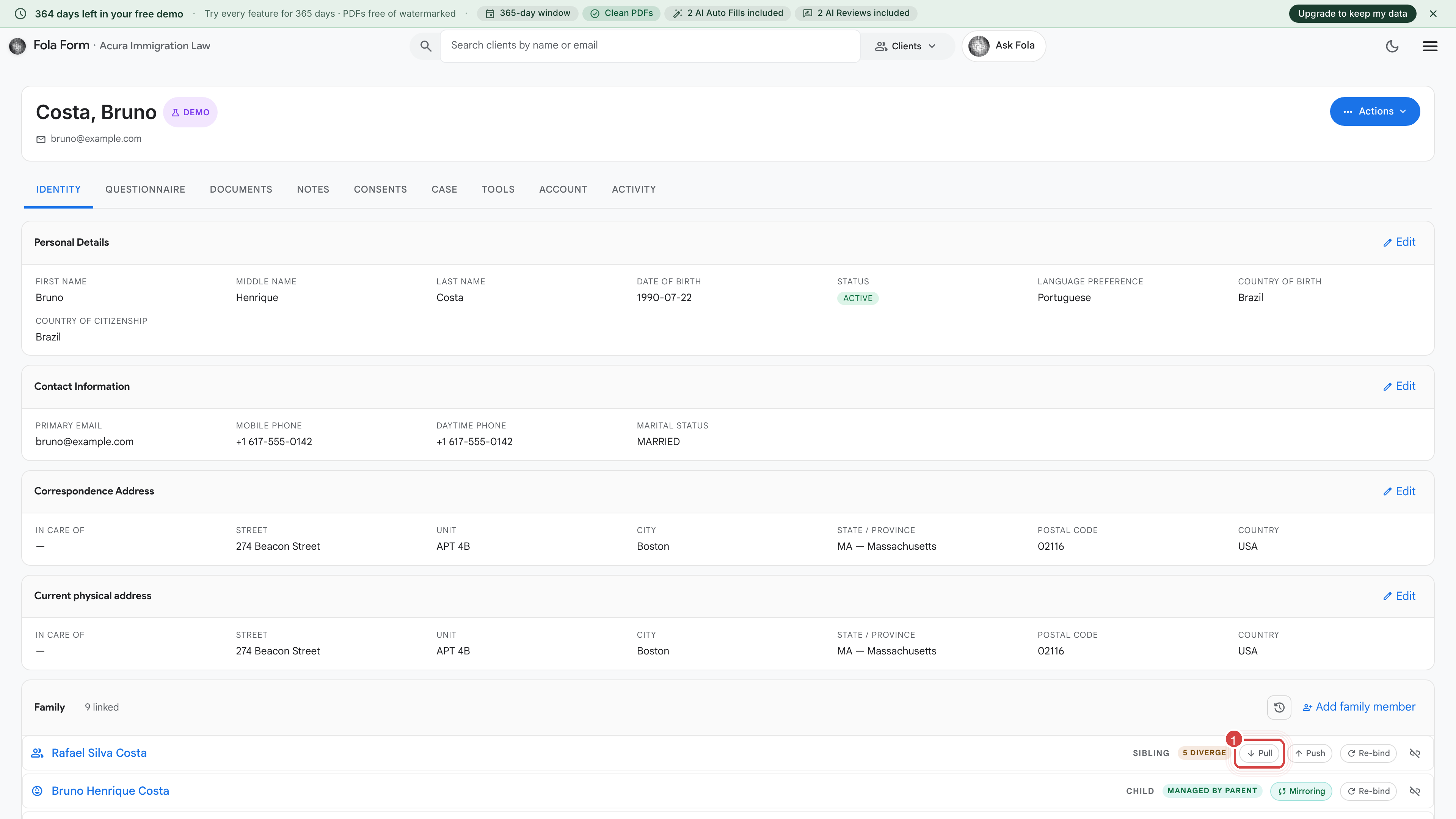
The eight cards
Section titled “The eight cards”The tab is organized into eight collapsible cards. Each card has an Edit button on the right; click it to open an inline editor.
Personal information
Section titled “Personal information”- Full legal name (given, middle, family)
- Other names used (maiden name, prior married name, transliterations)
- Date and place of birth
- Sex / gender
- Marital status
- Country of birth, country of citizenship
- A-number, Social Security Number (masked by default; click “Show” to reveal), passport number + expiration
This is the most-referenced card. If you’re staring at a USCIS RFE about identity, this is where to look first.
Addresses
Section titled “Addresses”- Current physical address — where the client actually lives
- Mailing address — defaults to current if you leave it blank
- Prior residences — last five years for most filings, last ten for asylum and a few others
Each address carries street + unit, city, state, ZIP, country, and dates of residence. Click the small calendar icon to set move-in / move-out dates.
Family
Section titled “Family”Family members are sub-profiles in their own right. Each one has its own identity, dates, documents, and case history — they’re not just text fields on the main client.
- Spouse — current and prior marriages (with marriage and divorce dates, and place of marriage)
- Parents — both, even if deceased or unknown
- Children — including step-children and adopted
For each family member you’ll see:
- Pull — copies the latest values from the family member’s own sub-profile into this client’s view
- Push — sends edits the other direction
- Mirroring — keeps the two in sync automatically
- Re-bind — relinks a family member who got accidentally unlinked
- Diverge pill (e.g. “5 diverge”) — shows how many fields differ between this client’s view and the family member’s own profile
Employment
Section titled “Employment”Current employer plus prior employers — last five years for most filings, last ten for I-485 and a few others. Each entry has:
- Employer legal name
- Employer address (used on I-129H1B, I-140, ETA-9089)
- Job title + brief description
- Start date / end date
- Supervisor name and direct phone
Toggle Self-employed to replace the employer block with the client’s own business info (entity name, EIN, NAICS code).
Education
Section titled “Education”Schools attended, oldest first by default. Each entry: school name + address, dates of attendance, degree (if any), field of study.
Required on I-140 EB-2 and EB-3 filings, optional but useful for naturalization narratives.
Immigration history
Section titled “Immigration history”The most stakes-heavy section. Drives admissibility analysis and flags anything Fola needs to ask about during a form fill.
- Entries into the US — date, port of entry, status admitted in
- Visas issued — type, valid-from, valid-until, issuing consulate
- Prior USCIS filings — receipt numbers + outcomes
- Removal / deportation history — orders, dates, jurisdictions
When you sign a form for a client, you’re attesting this section is accurate. Worth a second look before every filing.
Tax history
Section titled “Tax history”- Filing status
- Dependents (each one a separate row)
- EITC eligibility
- Prior-year AGI
- Prior tax preparer’s name
Drives Form 1040 family and W-9 generation.
Disclosures
Section titled “Disclosures”The sensitive section. Yes/No flags plus an open-text narrative for:
- Criminal history — arrests, charges, convictions (USCIS I-485 + N-400 questionnaire)
- Immigration violations — unlawful presence, overstays, prior removals
- Public benefits received — TANF, SSI, Medicaid (for public- charge analysis on I-485 / I-944)
- Communist party / terrorism / persecution — USCIS standard inadmissibility questions
Was this page helpful?
Thanks — noted.