

Header & quick actions
The header bar is pinned to the top of every tab on a client’s page, so the same shortcuts are always one click away. It’s small but it’s the busiest piece of the surface — you’ll use most of it every day.
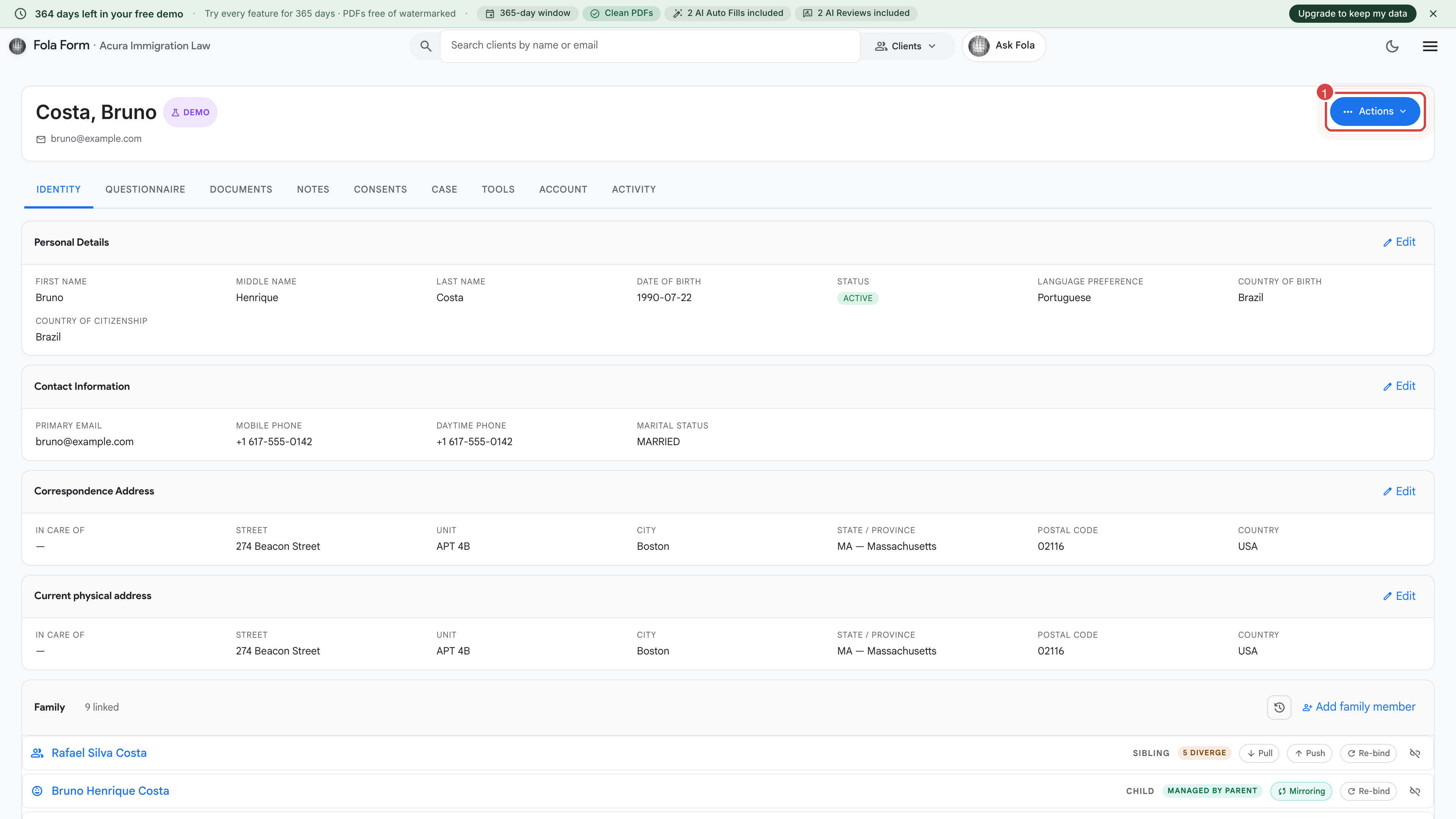
Reading the bar
Section titled “Reading the bar”From left to right:
- Client’s full legal name. What you (or your client during intake) entered. If it says “Unnamed client”, their name fields are empty — open the Identity tab and fill them in.
- Age + date of birth. Computed from the DOB on the Identity tab. Hover for the exact birthdate.
- Email. Click to copy the client’s email to your clipboard.
- Phone. Same — click to copy. Hidden if you haven’t entered one.
- Case label pill. Shows the active case the client is on, e.g. I-130 — Marriage. Click to jump to the Case tab.
The Actions menu
Section titled “The Actions menu”The red Actions button on the right opens a dropdown with the common things you’ll want to do for this client without leaving the page:
- Send intake link — generates a one-time-use intake URL and copies it to your clipboard. Use it for first onboarding, second marriage, RFE response, anything where the client needs to fill in fields.
- Send via email — drops the intake link straight into your firm’s intake-request email template (which you customize at Settings → Email templates) and sends.
- Run AI Autofill — kicks off a one-shot form fill using the data already on this client’s Identity tab. You’ll be asked which form before it runs.
- Run Attorney Level Intelligence Review — runs the pre-filing review against this client’s most recent draft.
- Add a note — quick shortcut to drop a private note onto the Notes tab without switching surfaces.
- Archive client — moves them to the Archive tab on the Clients list. Reversible any time for 60 days; permanently deleted after.
When the header looks “off”
Section titled “When the header looks “off””A few signals you might notice that mean something:
- Name shown in italics and faded — the profile is incomplete. Open the Identity tab and at minimum fill given name, family name, and date of birth.
- Red dot on the Actions menu — there’s a pending request from this client (e.g. a fresh intake submission waiting for review).
- A-number missing — fine for tax filings, DOL filings, or family-member sub-profiles. Required for most USCIS forms; Fola will prompt you when you try to generate one.
Was this page helpful?
Thanks — noted.