

Day 3 — Your first client
A “client” in Fola is a single structured profile that holds identity, family, employment, immigration history, tax history, and disclosures — everything every form pulls from. Today we add your first one.
The clients page
Section titled “The clients page”Open Clients from the workspace nav (or hit the + New client shortcut from the hamburger menu).
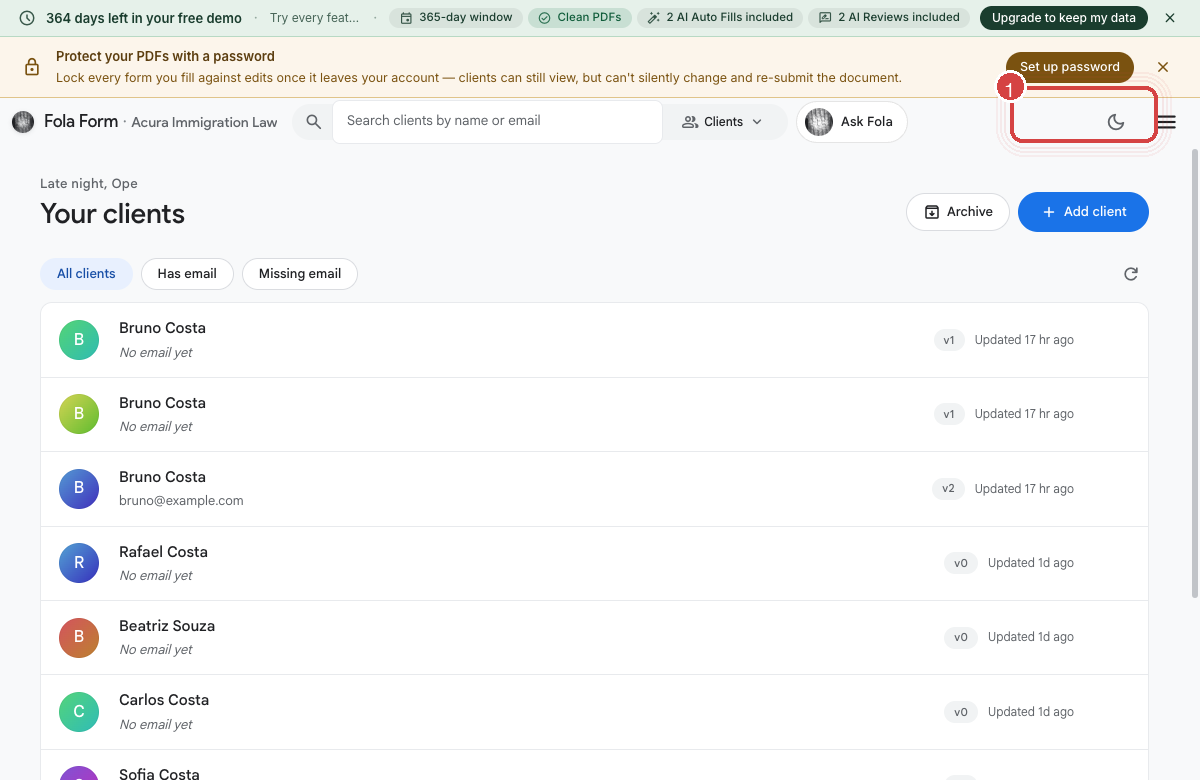
For a brand-new firm the list is empty. The + Add client button in the top-right is the standard add flow. The + Bulk invite sibling button takes a CSV the way Day 2’s bulk team invite did.
The profile shape
Section titled “The profile shape”Click + Add client and fill in the minimum:
- Legal name (given + family)
- Date of birth (optional but unlocks several forms automatically)
That’s it for the create step. Once the profile exists you can layer on:
- Identity — A-number, SSN, passport
- Addresses — current, mailing, prior residences
- Family — spouse, parents, children, each with their own sub-profile
- Employment — current and prior, with employer addresses
- Education — schools, dates, degrees
- Immigration history — entries, visas, prior filings
- Tax history — filing status, dependents, EITC eligibility
- Disclosures — criminal history, immigration violations, etc.
You can fill all of this in by hand, or — much faster — send the client an intake link.
Your own profile lives here too
Section titled “Your own profile lives here too”Your personal profile uses the same shape:
That’s intentional. If you ever need to file a form on your own behalf (G-28 covering yourself, a personal naturalization petition, etc.) you can pull straight from your profile the same way.
Intake links
Section titled “Intake links”From any client’s profile, click Send intake link. The system generates a unique URL that the client can open in their browser, fill out at their own pace, and submit. The intake form covers the same fields you saw in the profile shape above, plus optional document upload spots.
When they submit:
- The structured fields land in their profile automatically.
- Any documents they uploaded land in the Documents tab on their profile.
- You get a notification in My tasks to review.
The Documents tab
Section titled “The Documents tab”Every client profile has a Documents tab — the authoritative file store for everything tied to that case. The vault accepts PDFs, images (passport photos, IDs), Word docs, and most office formats. Files dropped here are encrypted at rest in our Supabase blob storage, scoped to your org, and visible only to members with access to that client.
When Fola generates a final filing-ready PDF (covered tomorrow), it also lands here automatically.
End-clients
Section titled “End-clients”For DIY-style practices where the end-client logs in directly (rare for firms, common for self-serve users), the same profile shape applies. The intake-link flow is the same; the only difference is the client owns the password instead of you.
What’s next
Section titled “What’s next”You have one client in the system, ready to drive a real form. Tomorrow we use the demo plan to fill that form end-to-end.
Was this page helpful?
Thanks — noted.