

Header & quick actions
The pinned bar at the top of every tab — name, age, email, Actions menu, intake link, archive. Read →
Almost every workday in Fola lives on a single client’s page — their profile, their case, their documents, the forms you’ve filed, the engagement letters they’ve signed. This section walks you through every tab so you can find what you need without hunting.
From the workspace, click Clients in the top bar. Click any name
to open that client. The browser URL looks like
folaform.com/workspace/clients/[id] — bookmark the clients you
work on every day so you can jump straight in.
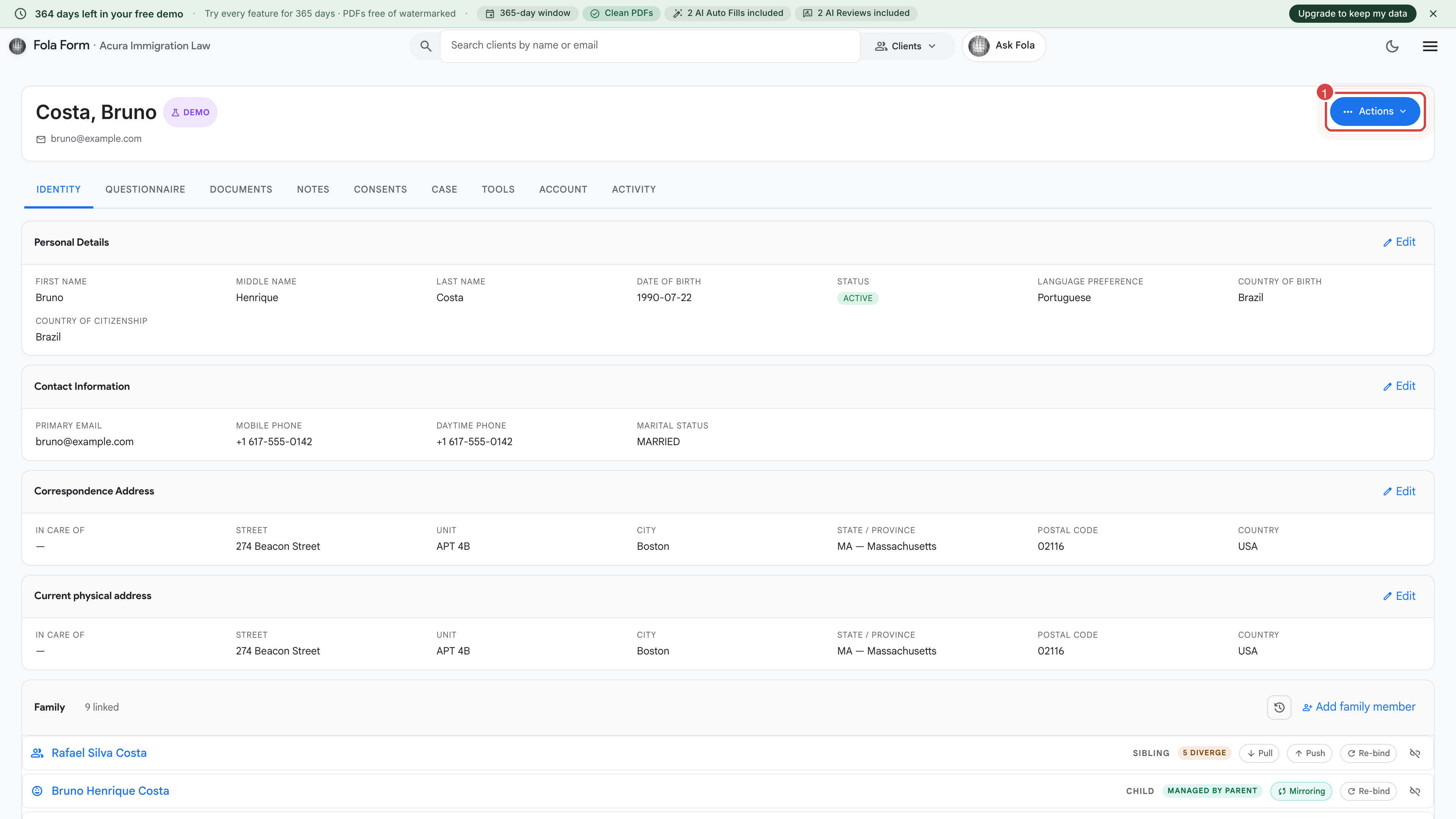
The tabs along the top let you move between every part of the client’s file. They’re listed left to right roughly in the order you’ll touch them on a new case.
Header & quick actions
The pinned bar at the top of every tab — name, age, email, Actions menu, intake link, archive. Read →
Identity
Personal information, addresses, family, employment, education, immigration history, tax history, and disclosures — everything forms pull from. Read →
Questionnaire
The intake responses your client submitted via their intake link. Side-by-side review with the current Identity record. Read →
Documents
Encrypted file vault — passports, IDs, evidence packets, completed forms. Read →
Notes
Private case notes for your team. Nothing here ever leaves Fola or is shared with the client. Read →
Consents
Engagement letters, retainer agreements, translator certificates — anything the client has signed. Read →
Case
Group the client’s work into named cases (e.g. “Marriage-based green card”) with deadlines and a shared timeline. Read →
Tools
Form-fill shortcuts, AI helpers, bulk actions specific to this client. Read →
Activity log
Timestamped record of everything that touched this client — edits, AI runs, document uploads, who viewed what. Read →
A few things you might expect here actually live elsewhere:
Thanks — noted.