

Day 4 — Trying the demo
Today’s the day you actually get a feel for what Fola does on a real case. We’ll fill an I-130 (the most-used immigration form) for the client you added yesterday. Plan on ~15 minutes.
The form catalog
Section titled “The form catalog”Open the workspace nav and tap Form catalog:
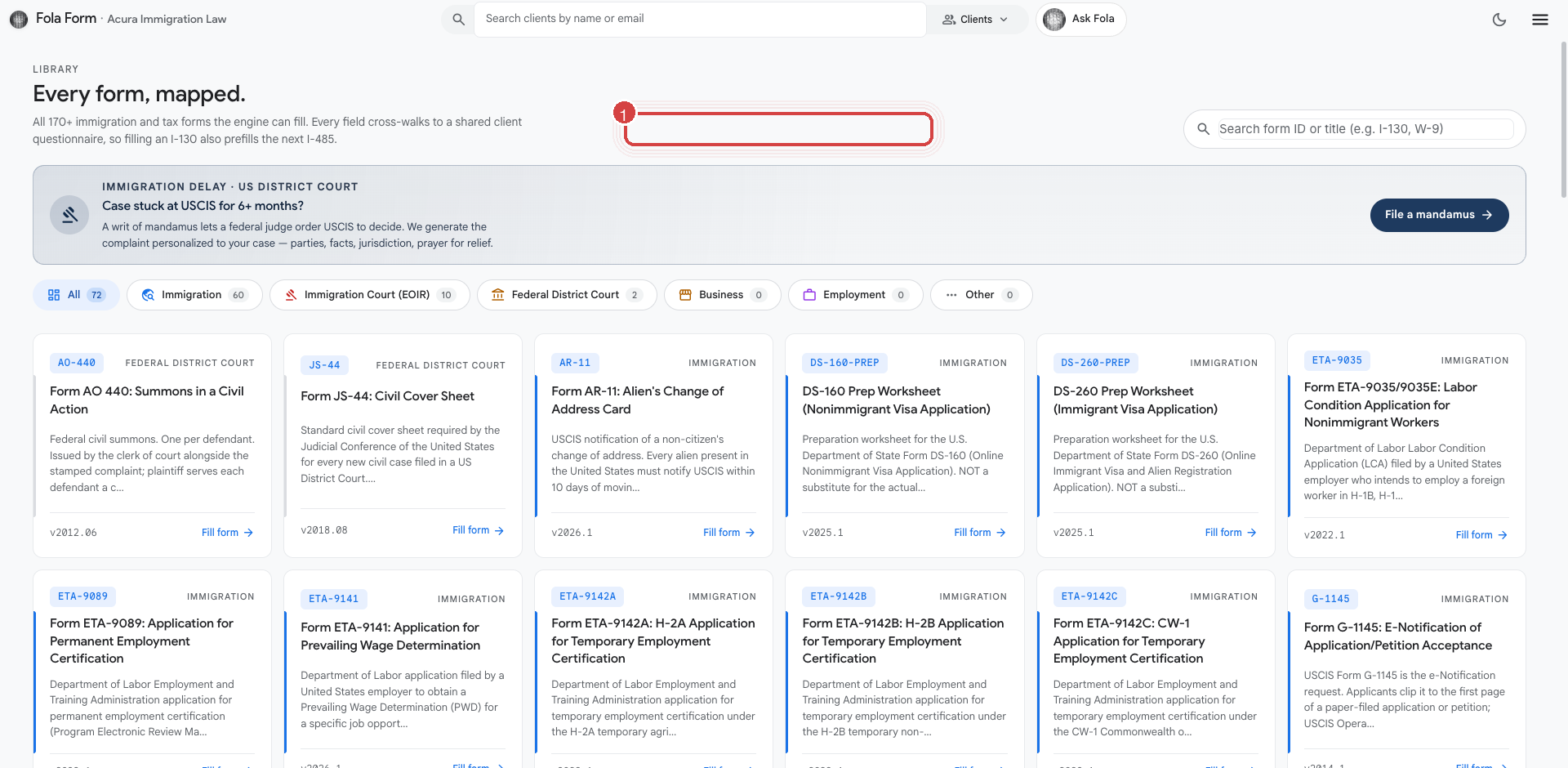
You’re looking at the full set of forms Fola supports — currently 176 across USCIS, US federal tax, state tax, DOL labor certifications, and federal district court. Each card is a real form template with the field-level mapping already wired up.
Search for I-130 in the search box at the top, or scroll to find
Form I-130: Petition for Alien Relative under the immigration
section. Click the card.
The recommended path: drive it from chat
Section titled “The recommended path: drive it from chat”The fastest way to fill any form is to ask Fola to do it. Click Ask Fola at the top, and type:
fill I-130 for {your client's first name}Fola will:
- Look up that client’s profile.
- Read the I-130 field manifest.
- Decide which fields it has data for and which it doesn’t.
- Either fill what it can and show you the gaps, or kick off a short questionnaire to capture the remaining answers.
- Render a watermarked review-copy PDF inline in the chat.
The end-to-end loop is roughly: talk to Fola → answer 5–10 questions → get a draft PDF. The first time through takes ~15 minutes mostly because you’re reading the questions carefully; subsequent fills on the same client are nearly instant.
What the watermark means
Section titled “What the watermark means”On the demo plan, every generated PDF carries a COPY — DO NOT PROCESS watermark on a diagonal sweep across the page.
This is a feature, not a bug:
- It keeps you from accidentally filing a draft preview.
- It clearly differentiates Fola’s work-in-progress output from finalized USCIS submissions.
When you sign off on the draft (Ask Fola will ask you to confirm), Fola produces a clean, unwatermarked PDF and publishes it to your client’s Documents tab. The clean PDF is what you file.
The demo caps
Section titled “The demo caps”Demo orgs get a fixed budget per month:
- 5 AI chats per seat — interactive conversations with Ask Fola
- 2 AI Auto Fills per seat — one-shot form fills from a profile
- 2 Attorney Level Intelligence Reviews per seat — pre-filing review against a checklist
- 1 Mandamus generation per seat — federal-court packet generation
- 5 seats in your org
At 5 seats that’s 25 chats / 10 auto-fills / 10 reviews per month across the whole firm. Plenty to evaluate the platform on real cases; not enough to run a full practice. Once you upgrade (covered separately in the billing reference), the caps jump by ~5–10× depending on tier.
What happens when you hit a cap
Section titled “What happens when you hit a cap”If your firm uses all 25 chats in one month, Ask Fola politely refuses the next message and surfaces a “demo limit reached” modal directing you to upgrade. No surprise overage charges on the demo plan — the cap is hard, not metered.
On paid tiers, the caps are softer: you can exceed them, and the overage is billed alongside your next monthly invoice. We cover that on Day 7.
Where else to start
Section titled “Where else to start”I-130 is the canonical example because it touches family, address, employment, and immigration history all at once — a good stress test of the profile shape. Other good “first form” candidates:
- I-765 (work authorization) — short, fast, often standalone
- N-400 (naturalization) — long but linear
- G-28 (notice of attorney appearance) — useful to file alongside any case you take on
What’s next
Section titled “What’s next”You’ve put a real case through Fola. Tomorrow we’ll make the firm’s brand show up on every PDF and email you send.
Was this page helpful?
Thanks — noted.