

Questionnaire tab
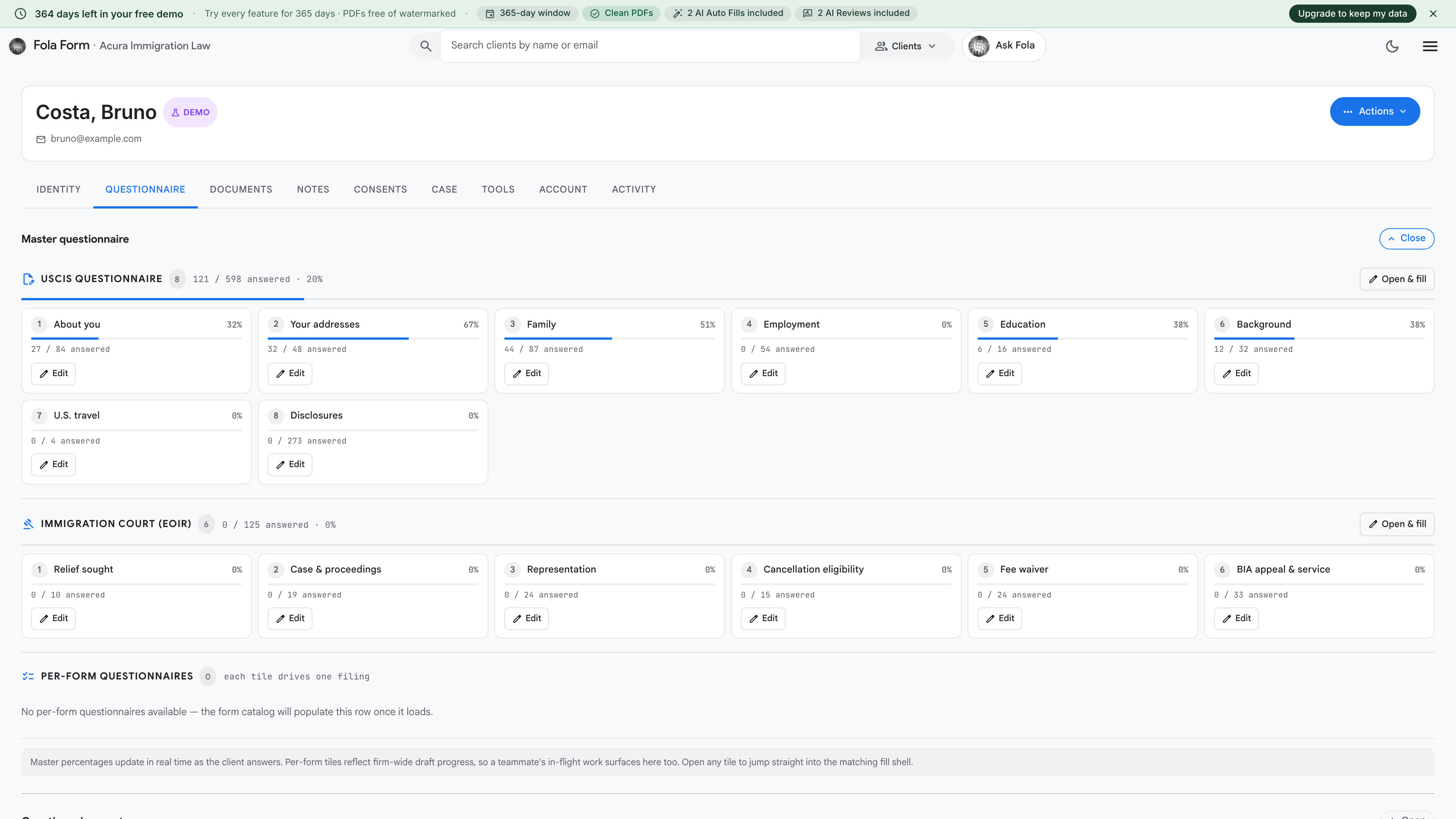
The Questionnaire tab shows everything your client submitted when they filled in an intake link you sent them. Each submission is preserved separately so you can see exactly what they reported and when.
Why intake responses live here, not on Identity
Section titled “Why intake responses live here, not on Identity”The Identity tab is the current truth about your client — the record your forms pull from. The Questionnaire tab is the history of what your client said. Keeping them separate matters because:
- Clients sometimes mis-enter dates or addresses, and you don’t want a typo on an intake form to silently overwrite a verified identity field
- For RFE responses, you may need to point to what the client said originally even if the Identity record has since been corrected
- Audit trail: USCIS sometimes asks who told the firm what, and when — this tab is the answer
Reading a submission
Section titled “Reading a submission”Each row in the list represents one submitted intake link. Open one and you’ll see the full questionnaire response on the left, side by side with the current Identity record on the right.
Fields where the two differ are highlighted. For each difference you can:
- Accept — overwrite the Identity record with the client’s response
- Reject — keep the Identity record as-is
- Edit — type a corrected value (e.g. the client said “Carolina do Norte” and you want to record “North Carolina”)
What gets captured
Section titled “What gets captured”Every intake submission carries:
- The questionnaire response itself (every field the client answered)
- Any documents the client uploaded — these land on the Documents tab automatically under the “Intake responses” filter
- The submission timestamp, IP address, and user-agent (browser fingerprint) — visible in the Activity log if you ever need it
When you don’t see expected responses
Section titled “When you don’t see expected responses”Three common reasons:
- The link was never sent. Check the Activity log for an intake-link-generated event; if there’s none, click the header’s Send intake link button to generate one.
- The client opened the link but didn’t submit. Fola only records submissions, not partial fills. Resend the link and ask them to submit even if it’s incomplete.
- The submission landed but on a different client. Rare — would only happen if you sent the link to the wrong client by mistake. Check that client’s Questionnaire tab.
Was this page helpful?
Thanks — noted.