

How does the I-485 form fill work?
Fola’s I-485 fill is a structured questionnaire that reads from the client’s profile, so you fill data once and every supporting form (I-130, I-864, I-765, I-131, I-693) inherits it. Here’s the flow.
Open the form and pick who it’s for
Section titled “Open the form and pick who it’s for”From the workspace, open Form catalog and click the I-485 tile. The first thing you see is a “Who’s this form for?” picker:
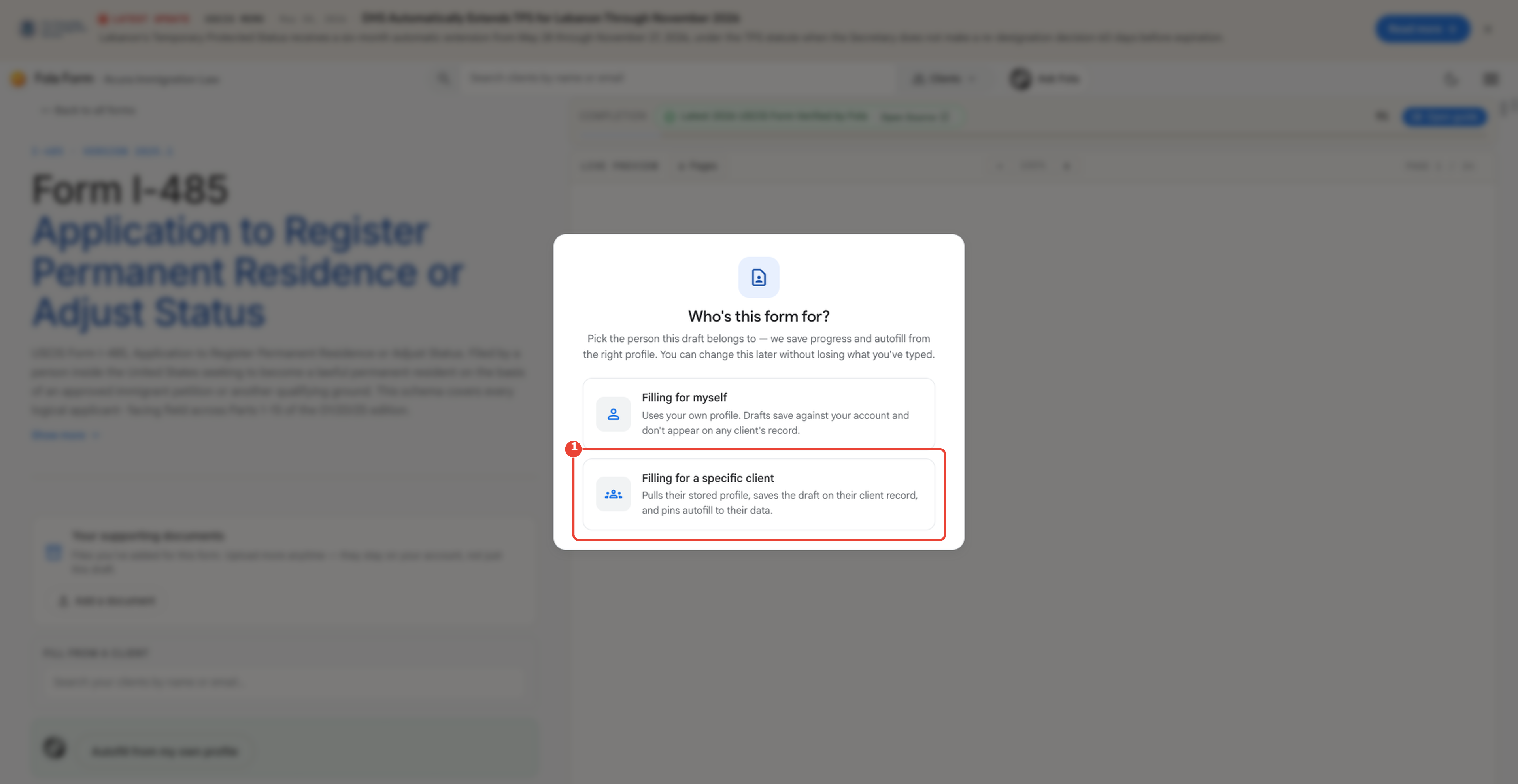
Two choices:
- Filling for myself — uses your own profile. Drafts save under your account; nothing appears on any client’s record.
- Filling for a specific client — pulls the client’s stored profile, saves the draft on their client record, and pins autofill to their data.
For real client work always pick the second option. Pickng a client unlocks every field Fola already knows about them — name, addresses, A-number, employment history, family members — automatically.
What gets autofilled
Section titled “What gets autofilled”The moment you pick a client, Fola streams through every page of the I-485 and writes whatever it already has:
- Part 1 (applicant info): name, SSN, A-number, date of birth, country of birth, country of citizenship, mailing address
- Part 2 (eligibility category): inherited from your last filing for this client when available
- Part 3 (additional info about you): address history, employment history, marital history, immigration history
- Part 4 (info about your parents): inherited from the client’s family tree if you’ve filled it in
- Parts 5-14: fields that the client’s profile maps to
Anything Fola can’t fill — because the data isn’t on the profile yet — shows as a question on the right side of the screen. Answer it once, and it lands back on the client profile for the next form to use.
Reviewing the rendered PDF
Section titled “Reviewing the rendered PDF”Click Preview at any time to see the actual I-485 PDF rendered with your data overlaid on USCIS’s official template. The preview updates within ~750 ms of each keystroke, so you can edit a question on the right and watch the corresponding field change on the left.
When you’re ready, Download PDF mints a final unwatermarked copy.
Where to go next
Section titled “Where to go next”- Client details — Questionnaire tab — how Fola tracks every question Fola has asked about a client.
- Day 4 — Trying the demo — a guided walkthrough that includes an I-485 fill end-to-end.
Was this page helpful?
Thanks — noted.