

What does my plan cover?
The fastest way to see what you’re getting (and what every other tier offers) is the Plans & invoices page under Settings → Billing.
Open Settings → Billing
Section titled “Open Settings → Billing”The billing page is broken into three sections:
- Current plan card at the top with your tier, status, and the real-time projection for this cycle’s bill.
- This cycle’s line items — every charge, seat, and credit so far.
- Available plans — every other tier you can switch to with a feature comparison.
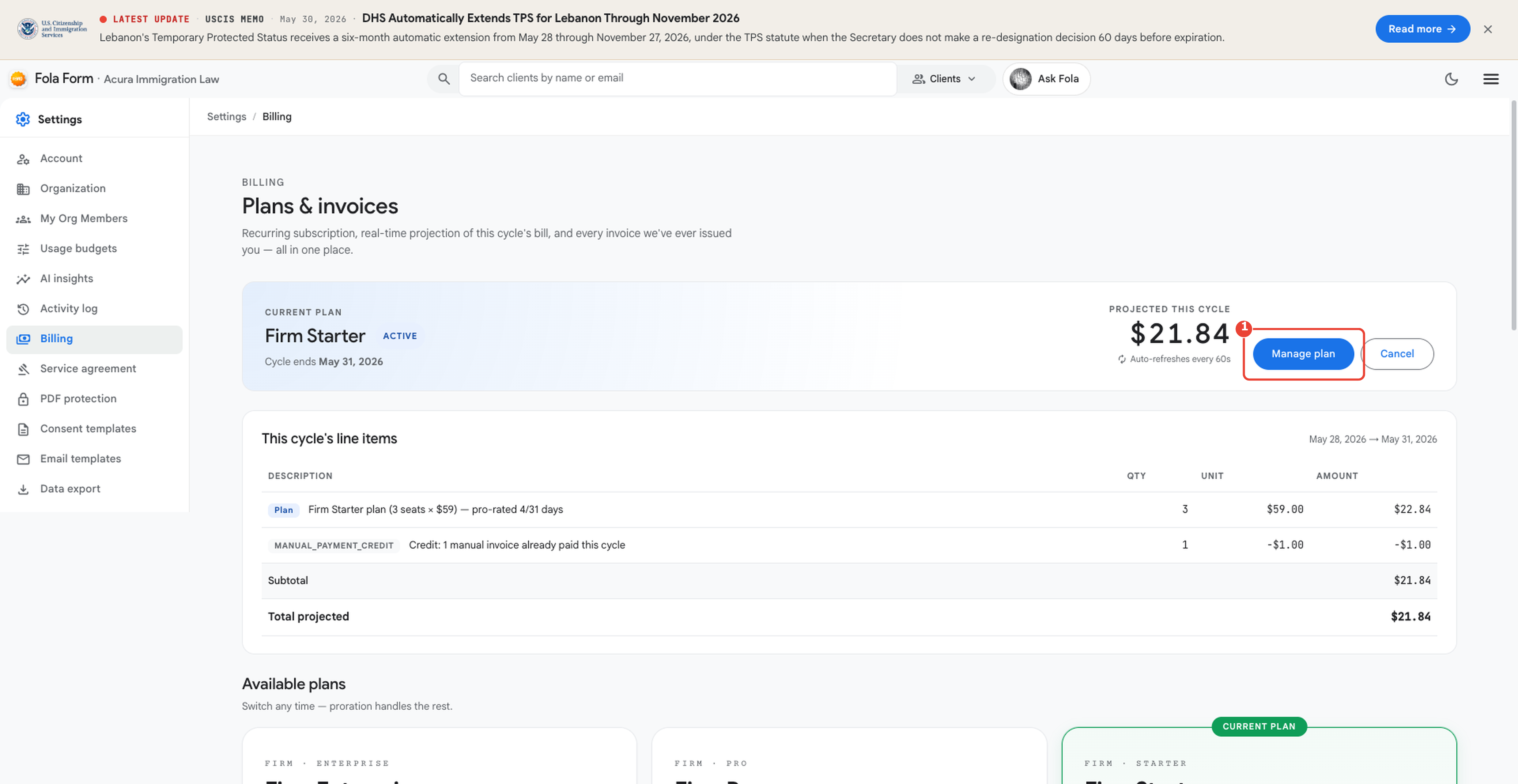
Click Manage plan to open the comparison panel — it shows what each plan includes side-by-side so you can pick the right tier for your team.
See the full tier matrix on the pricing page
Section titled “See the full tier matrix on the pricing page”Tiers, seat counts, AI quotas, and prices are updated frequently. For the source of truth — and to compare every feature side by side — see the public pricing page:
That page is fed from the same backend the workspace reads, so what you see there is exactly what you’ll be billed at.
Real-time projection
Section titled “Real-time projection”The Projected this cycle number on the current-plan card updates every minute as members work. Click it to see the formula: base plan × seats + any usage overages − any credits.
Where to go next
Section titled “Where to go next”- folaform.com/pricing — current tier matrix and per-tier features.
- Troubleshooting — Billing & subscriptions — common issues with charges, downgrades, and credits.
Was this page helpful?
Thanks — noted.